Insights
— Platform
Picdrop and moodcase. The distinction.
Picdrop and moodcase both serve photographers who work with clients. Both handle image sharing, client feedback, and delivery. The difference is not in individual features. It is in the working model and the structure underneath.

Mathias Buschor
Co-Founder at moodcase
•
6
min read
What Picdrop and moodcase share
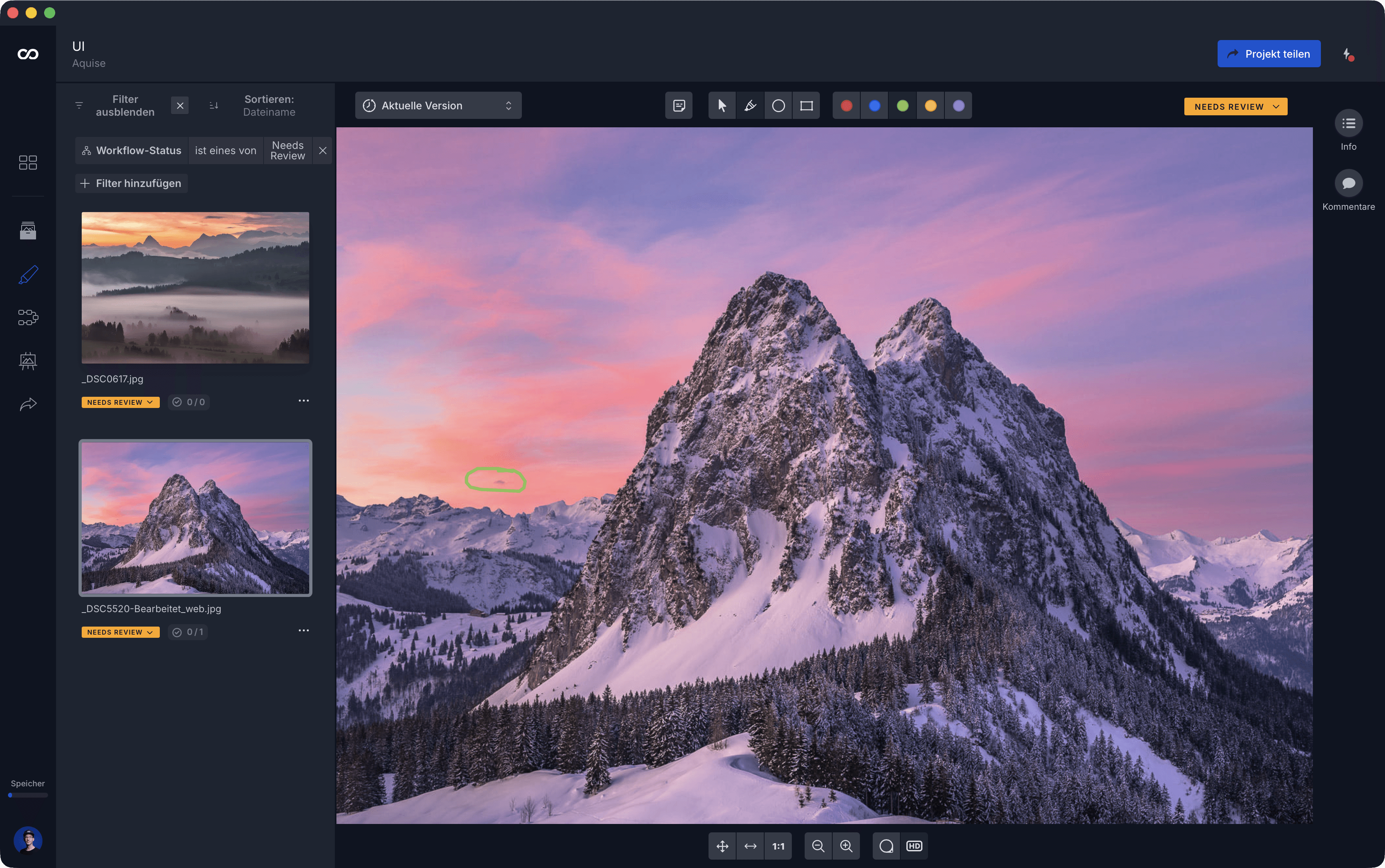
Both platforms connect to Lightroom and Capture One. moodcase through direct integrations, Picdrop through exported filename lists. Both let clients review without creating an account. Both support color markings, comments, and image-level feedback. Both offer scribbles and annotations drawn directly on the image.
The overlap is real. The divergence starts with how assets are organized in the system.
How assets are structured differently
Picdrop organizes work around galleries. A gallery is a container. Files go in. Clients access the gallery, mark their selections, and the photographer exports the result. For a single project cycle, this is clear and direct.
moodcase organizes work around projects, collections, and assets. A project holds the assets. Collections structure them within the project. Galleries in moodcase are a presentation layer, not a container. They draw from collections through filters and display rules. One project can have multiple galleries showing different selections from the same asset set. The source stays in one place.
This means a photographer working on a commercial shoot with separate deliverables for the client, the agency, and the retoucher does not duplicate files across galleries. Each gallery shows a filtered view of the same assets.
Where the working model diverges
Finding assets across the system. Picdrop filters within a gallery by filename and color markings. moodcase filters across the entire workspace by metadata: workflow status, color labels, ratings, keywords, AI tags, photographer, location, copyright, image license, and more. The difference is between navigating galleries and navigating assets.
Tracking decisions, not just selections. In Picdrop, a client marks images with color codes. The photographer interprets the result. In moodcase, workflow states are explicit. An image can be marked as selected, in progress, or final. Approval is recorded as a decision, not inferred from a color marking or a download.
Delivery as part of the project. Many photographers use a proofing tool for selection and a second tool for final presentation. In moodcase, delivery is part of the same project. Branded galleries. Password protection. Controlled downloads. Custom domains on higher plans. The presentation reflects the standard of the work, without leaving the system.
Feedback that survives the round trip. A client leaves a comment. The photographer edits. New versions go back for review. In moodcase, annotations and comments stay attached to the image across versions. The revision context is visible, not reconstructed from email threads.
We built moodcase this way because we saw the same pattern in our own work and in conversations with photographers: the project kept leaving the system between steps. Every handoff was a potential break in context.
Who fits where
Picdrop fits when the core need is client selection and the workflow around it is handled elsewhere. The photographer shoots, uploads, and needs the client to pick favorites. The rest of the process is managed in other tools, and that arrangement works.
moodcase fits when the project needs to stay connected in one system. When review involves annotations and revision instructions, not just selections. When approval needs to be recorded, not inferred. When delivery is part of the professional standard. When the photographer manages projects with 1,000 to 3,000 images and the structure needs to hold across multiple rounds and multiple deliverables.
The question is not which platform does more. The question is where the photographer's workflow needs structure. At one step, or across the full project.
Visual assets need more than a folder. See how moodcase handles the full workflow.
Try all features for 7 days. No credit card required.
Review
Approval
Delivery
Photographers
RELATED
When proofing is only part of the workflow.
Picdrop organizes work around galleries. moodcase organizes work around projects, collections, and assets. Where each fits.
When file sharing stops working for visuals.
Shared drives store files. Visual assets need feedback, approval, and delivery. Where folders stop carrying the context.