Insights
— Platform
When proofing is only part of the workflow.
Proofing tools centralize the selection step. The client views, marks, and selects. For a shoot-and-deliver workflow, that solves the bottleneck. But when the work involves revision instructions, multiple review rounds, recorded approval, and controlled delivery, proofing handles the first step. The rest still happens elsewhere.

Mathias Buschor
Co-Founder at moodcase
•
6
min read
What proofing tools cover
Proofing tools center on client selection. The photographer uploads images to a gallery. The client accesses the gallery through a shared link, usually without creating an account. The client marks images using color codes, favorites, or votes. Some proofing tools support annotations drawn directly on the image. The photographer exports the selection and moves to editing.
The proofing category has matured. Most proofing platforms now include branded gallery presentation, password protection, download control, and integration with Lightroom. Some have expanded into studio management and print sales. The selection step is well-served across the category.
For the photographer who works in a shoot-select-deliver cycle with one round of client interaction, a proofing tool covers the exchange. The question starts when the project extends beyond that cycle.
What happens after selection
On a commercial shoot with 1,000 to 3,000 images, selection is not the last decision. It is the first. What follows depends on the complexity of the project.
Revision instructions detach from the image. A client requests a tighter crop on image 47, a color shift on image 112, and retouching on a set of 15 portraits. In a proofing gallery, these instructions move to email, PDF annotations, or a separate messaging thread. When the photographer re-uploads revised versions, the connection between the original instruction and the new image depends on the photographer's own coordination. On multi-round projects, this is where hours get lost.
Approval is inferred, not recorded. A client downloads a set of images. Does that mean the images are approved? In most proofing workflows, approval is behavioral. A download, a silence, a message that says "looks good." There is no record of who confirmed, what was confirmed, or when.
Delivery leaves the system. Many photographers use a proofing tool for selection and a separate tool for delivery. A transfer link for the files. A second gallery platform for the presentation. A ZIP sent by email. The project leaves the system where the review happened.
Structure does not survive the project. The project ends. The gallery sits in the proofing platform. Months later, the client needs a specific image, or the photographer needs to locate a past selection. In a gallery-based system, finding old work means scrolling through gallery names. There is no metadata search, no workflow status filter.
How a project-based system handles the same work
moodcase approaches the same workflow differently. Not by adding features on top of a gallery, but by organizing the work around the project rather than the proofing step.
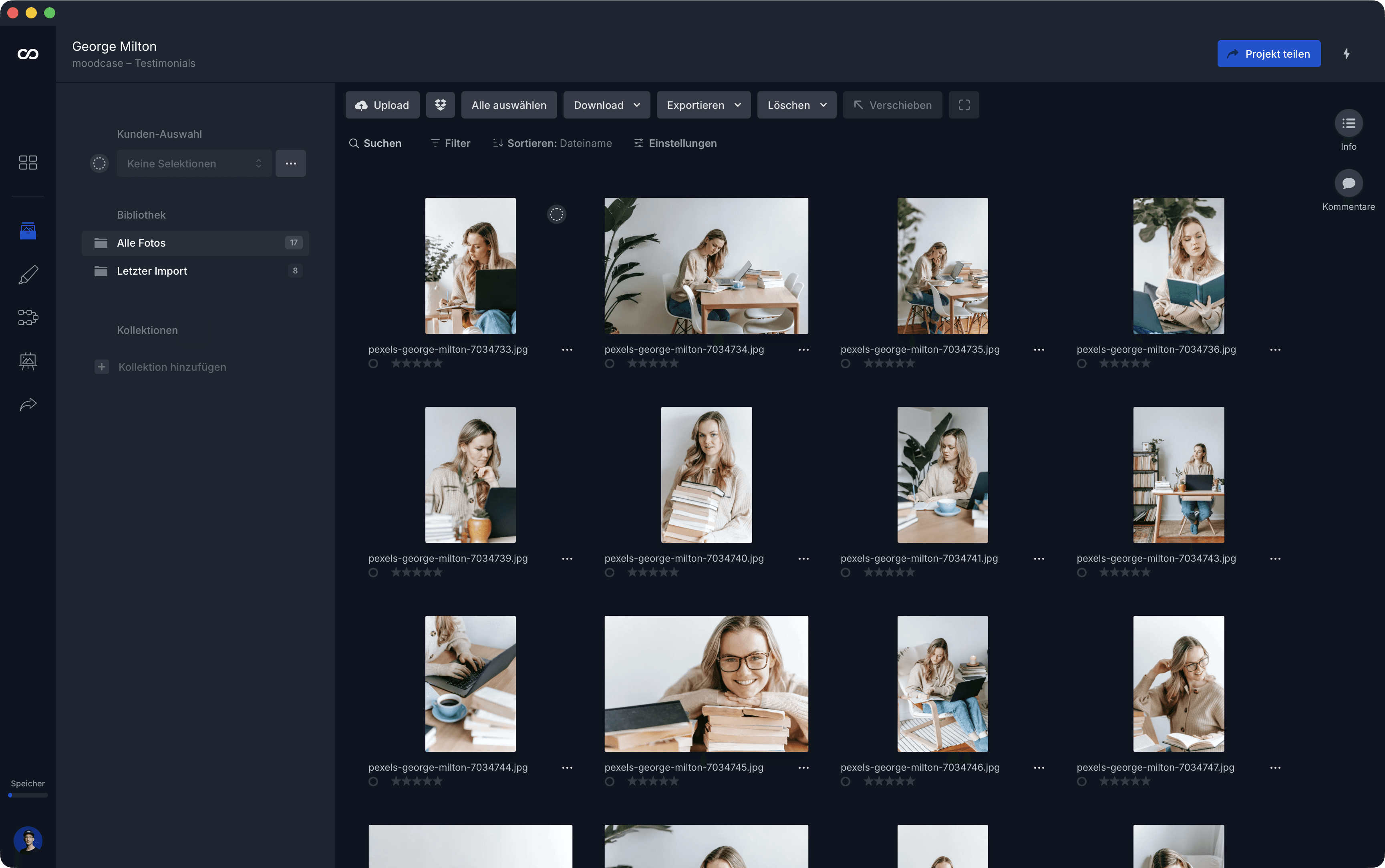
In moodcase, a project holds the assets. Collections structure them. Galleries are a presentation layer that draws from collections through filters. One project can have multiple galleries showing different selections from the same asset set, each with its own access permissions and branding. The source stays in one place.
Feedback stays attached to the image across versions. Approval is recorded as an explicit workflow state. Selected, in progress, final. Delivery happens inside the project. Branded galleries with password protection, controlled download resolutions, custom domains on higher plans, and Quick Share ZIP for direct file handoff.
Assets remain searchable after the project ends. moodcase filters across the workspace by metadata: color labels, ratings, workflow status, keywords, AI tags, photographer, location, copyright, and more.
We see this shift consistently in conversations with photographers. The ones who move from a proofing tool to moodcase are not looking for a better gallery. They are looking for the project to stay in one place.
Who stays with proofing, who needs more
Proofing tools work well when the workflow is concentrated in one step. The photographer shoots, uploads, collects a selection, edits, and delivers. One client interaction. One decision point.
Structured handling matters more when the project has more stages. When review involves detailed revision instructions that need to stay attached to the image. When approval needs to be explicit, not inferred from a download. When delivery is part of the professional standard. When the photographer handles projects with thousands of images across multiple rounds and multiple deliverables.
The question is not which approach has more features. The question is whether the workflow ends at selection or continues beyond it.
Visual assets need more than a folder. See how moodcase handles the full workflow.
Try all features for 7 days. No credit card required.
Review
Approval
Feedback Loops
Photographers
RELATED
When the current setup stops being enough.
Proofing tools handle selection. moodcase keeps the full project connected: review, approval, delivery, and structure beyond the handoff.
Visual assets for small creative teams.
Shared drives stop working. Enterprise DAM is too much. moodcase is built for the gap where most small creative teams operate.