Insights
— Platform
Visual Asset Management is not cloud storage.
Visual Asset Management sounds like a more serious name for cloud storage. Both hold files. Both live in the browser. Both let a team share what is inside. The resemblance is where the confusion starts. Cloud storage answers one question: where is this file. Visual Asset Management answers a different one: what is this asset, what has been decided about it, and who is allowed to use it. The two look alike and solve different problems. Treating one as the other is cheap until the library grows.

Mathias Buschor
Co-Founder at moodcase
•
6
min read

Storage organizes by location, management organizes by attribute
Cloud storage is a folder tree in the browser. It organizes by where you put things. To find an asset, you retrace the path someone chose when they saved it. The structure is a map of decisions made at upload, and it works only if everyone reads the map the same way.
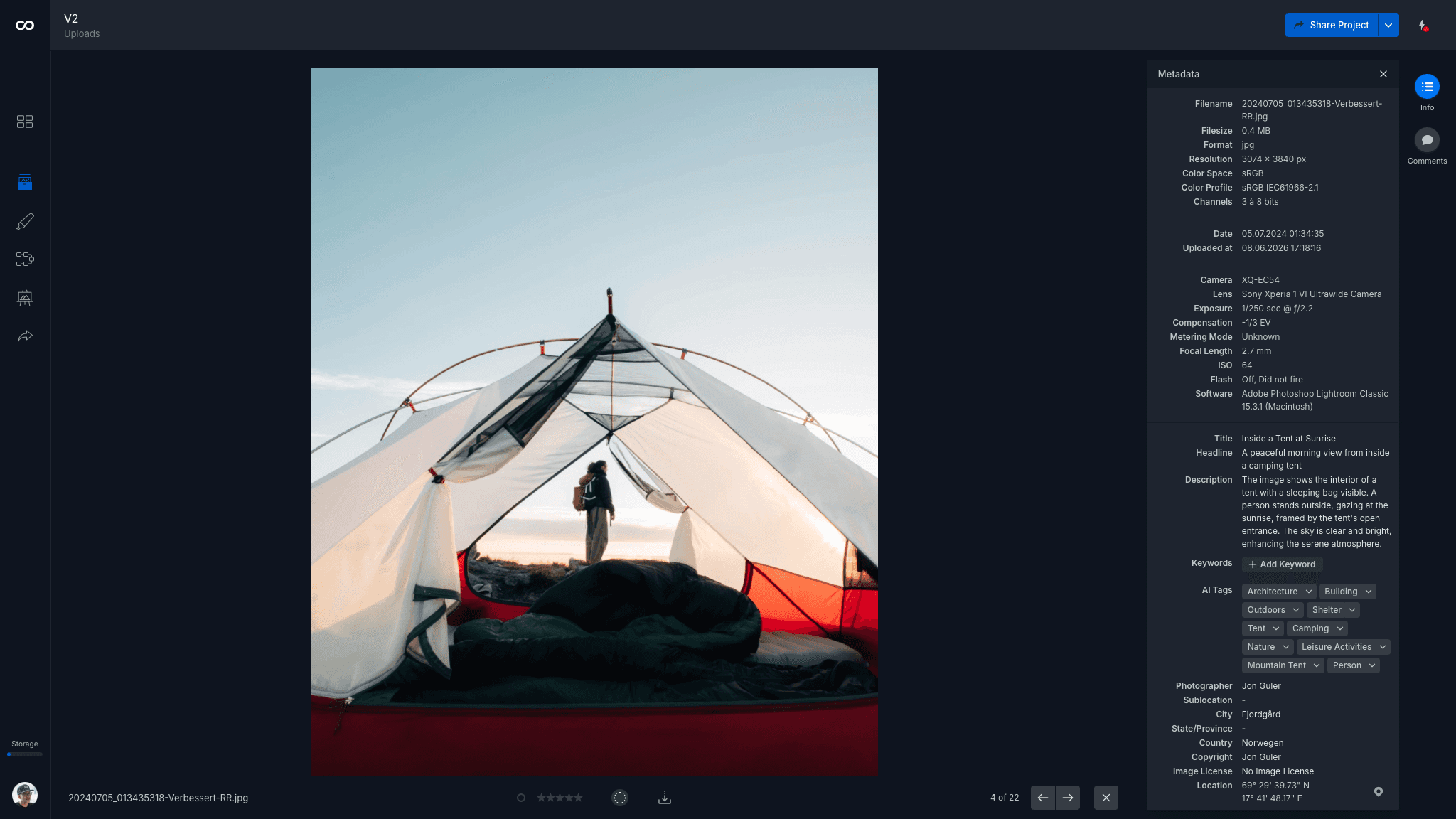
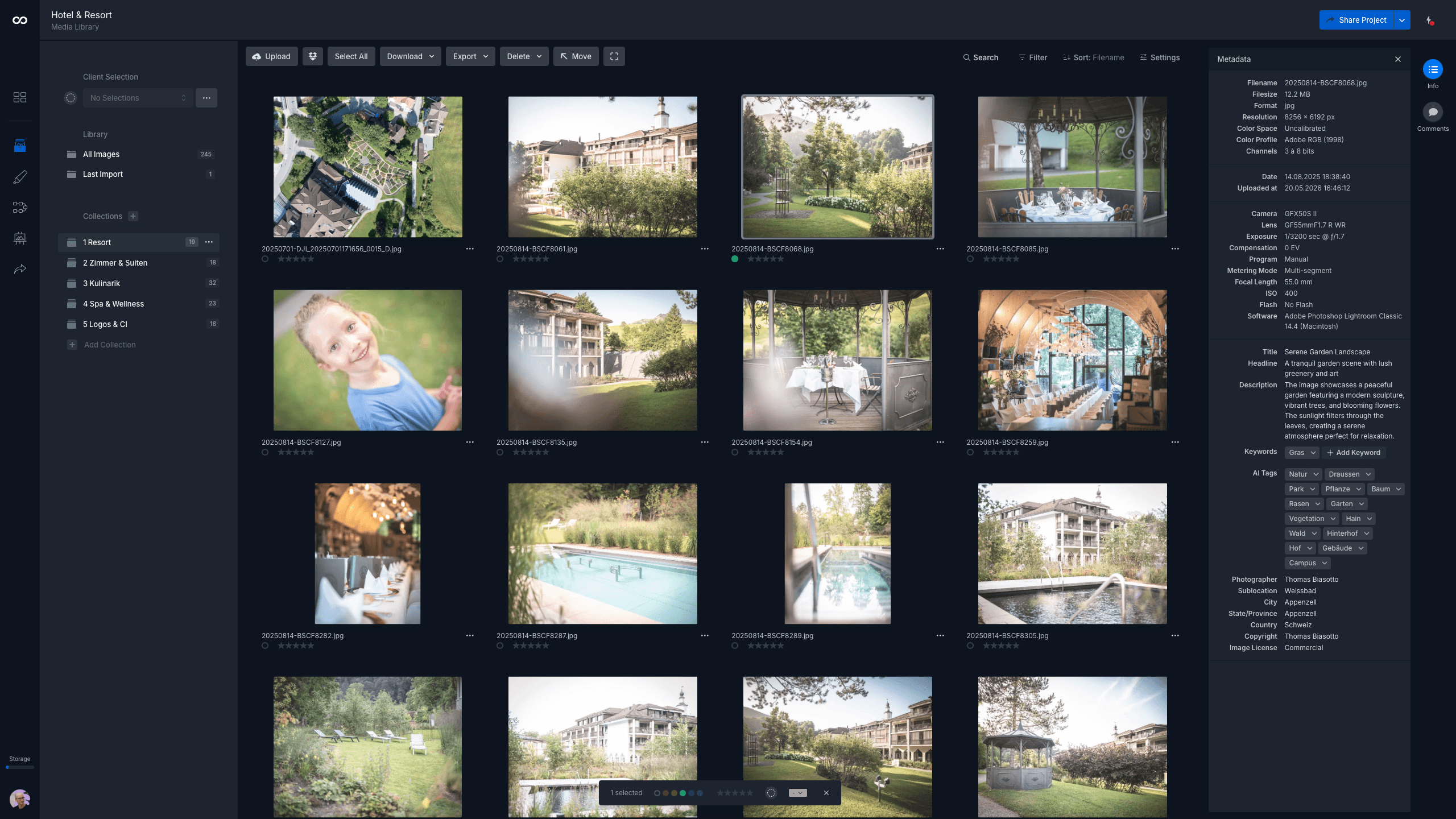
Visual Asset Management organizes by what the asset is. An image carries its own attributes. What it shows, which campaign it belongs to, what was approved, what rights apply. The attributes travel with the asset, not with its position in a tree. You find it by describing it, not by remembering where it was filed.
Storage holds the file and nothing about it
A shared drive holds a JPEG. It does not hold the fact that the JPEG was approved for external use, that the licensing window closes at the end of the quarter, that it is the retouched version and not the raw one, or that it belongs to three campaigns at once. That information exists, in someone's head, an email, a spreadsheet, but not in the place the file lives.
This is the core limit. Storage keeps the asset and discards everything around it. For a single file, the surrounding information is easy to carry informally. Across a library that serves many uses over time, the informal carrying becomes the work that quietly consumes the team.
The information does not only sit unused. It gets recreated. A teammate cannot tell which file is the approved version, so they ask. Someone cannot find the cleared-for-print crop, so they remake it. The work the storage discarded gets done again, by hand, each time the question comes up.
Retrieval is the difference you feel first
In storage, retrieval is recall. You find an asset by remembering where it was saved, or by asking the person who saved it. When the person who knows is unavailable, the asset is effectively lost even though it is right there.
In a managed library, retrieval is description. You search for the attribute, the campaign, the subject, the approval state, and the system returns what matches. On team plans, metadata applied at upload and AI tagging make this routine, and global search runs across the whole workspace rather than one folder at a time. The asset is findable by anyone, not only by the person who filed it.
The shift is from a library only its author can navigate to one the whole team can query. That is the difference between a place files are kept and a place a team can work from.
Access in storage is improvised, not defined
Sharing from a shared drive means generating a link or adding a person to a folder. Access follows the folder shape, which was built for organizing, not for controlling who sees what. To give a partner one campaign and not the archive, the team builds a new folder, copies files into it, and shares that. Access becomes a second structure layered on top of the first.
A managed library treats access as its own definition. Links carry granular permissions and expiration. Who accessed what is recorded in an audit log. Access is something the system holds, not something the team rebuilds folder by folder.
The improvised layer also forgets. A folder shared for one project stays shared after the project ends. Nothing in the structure marks it as access that should close, so no one revisits it. Defined access expires on a date. Improvised access stays open until someone remembers it.
The category error scales the wrong way
The reason the confusion matters is the direction it grows. Cloud storage does not solve the problem of knowing what an asset is, and the more assets you add, the larger that unsolved problem becomes. More files mean more places to look, more duplicates, more decisions held only in memory. Storage scales the problem it was never built to solve.
Visual Asset Management is not storage with features bolted on. It is a different organizing principle. The asset carries its own structure, so the library gets more useful as it grows rather than harder to navigate. moodcase Visual Asset Management is one example of the principle. Metadata, global search, collections that define views without duplicating files, and recorded access, all attached to the asset rather than to its location.
The distinction is not about which tool is better. It is about which question you are trying to answer. If the question is only where did we save it, storage is enough. If the question is what is this, what was decided, and who can use it, storage cannot answer, and no amount of folder discipline will make it.
Who this matters to
This matters when assets persist beyond a single project, serve more than one use, and pass through more than one set of hands over time. A team handling multiple campaigns, brands, or external partners reaches the limit of storage whether or not it has named the limit.
It matters less when the library is small and one person knows where everything is. A shared drive is a reasonable place to keep files. It is not a place that knows what those files are. The decision is not storage versus management in the abstract. It is whether your library has grown into something that needs to answer questions a folder cannot.
Visual assets need more than a folder. See how moodcase handles the full workflow.
Try all features for 7 days. No credit card required.
Metadata
Search
Scattered Assets
Creative Teams
RELATED

Visual asset management without DAM overhead.
Cloud storage answers where a file is. Visual Asset Management answers what an asset is, what's decided about it, who can use it.
When marketing teams outgrow shared folders.
Folders break for marketing teams not because the team is bad at naming. They break because folders cannot hold information about the asset.